Some of the best Graphic Themes for Moodle™ (free)
I'm sure that almost all of us have experienced that the first time we layout an LMS platform to have an attractive and professional look, the result was not too good.
For this, there are Moodle™ THEMES.
Fix the Moodle™ interface
Despite being one of the most used LMS, Moodle™ has often been a victim of this same complication. The default interface is primitive, and the UX is anything but attractive. That is where graphic themes for Moodle come into play.
"A theme is to your Moodle site what organisation and decoration are to face-to-face classrooms."
A good theme not only makes your Moodle™ website look better, but also improves functionality and features, making the user's stay more pleasant.
One good thing about Moodle™ is that you don't always have to look for paid themes to create a site that fits what you have in mind. An impressive collection of free themes is available that more than covers most design requirements.
But, how to choose the theme that perfectly adapts to all your needs?
Do you focus on a theme with many functions and customisable or opt for a clean and minimalist design? Mobile access can no longer be ignored in an era where more and more people access the network from their phones, which makes the architecture responsive adaptable
We have selected 5 of the most popular free themes for Moodle™, to see what you think of them.
1.- Essential – Make Moodle look less Moodle™.
Essential is based on Bootstrap, one of the most recognised and reliable frameworks for building graphical interfaces. But WATCH OUT, the last version of Moodle™ for which it has been tested is 3.6, and it only works with PHP 7.3 and lower. If you have a veteran moodle™, this theme can be a good option. We include it here almost for historical reasons.
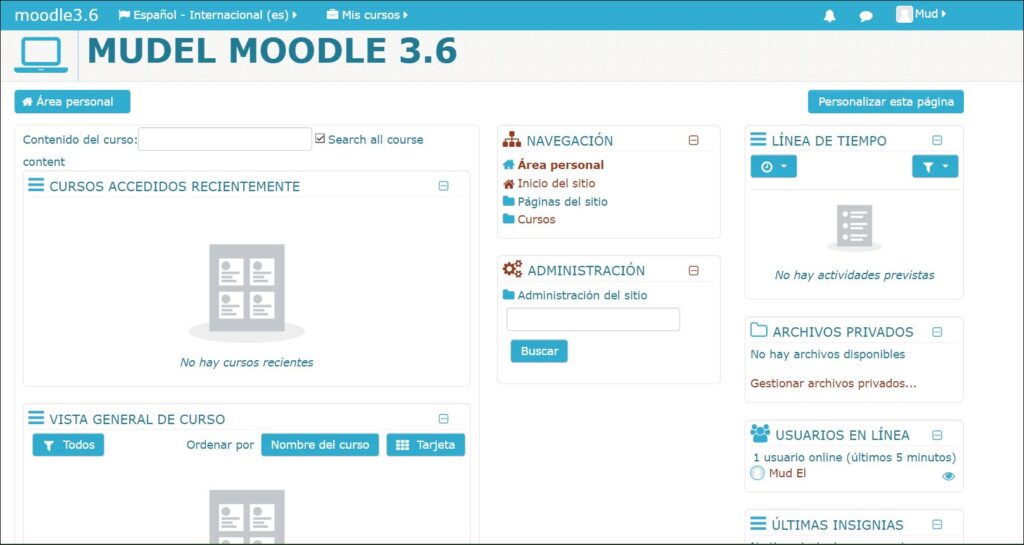
Developed by Julian Ridden (the famous Moodleman), Essential offers a very clean and polished aesthetic that pleases students of all ages. The header has been designed to highlight elements of interest through a slider, which makes it look more like a blog than an e-learning website.
You can download it and see the updated information here: https://gjb2048.github.io/moodle-theme_essential/
Clean and minimalist does not necessarily mean "scarce". In Essential we have a lot of settings available through an administration interface, something that was uncommon for a Moodle™ theme at the time it was developed.
The slider is highly customisable, as are the various page main labels and even the entire site colour scheme. The footer presents you with several "Moodle blocks" that you can fill with widgets and functionalities of your choice.
Part of the look can also be attributed to Font Awesome, which is present throughout the theme. Very cool icons and a lot of fonts to choose from. Definitely a success, given the pleasant to the eye and the sense of modernity it brings Font Awesome.
2.- Academi – The most student-oriented theme
If Essential has the look of a blog, Academi goes more in the line of a modern e-learning website.
Developed by Nephzat Technologies, Academi is an elegant theme for Moodle, perfect for academies. At first glance it presents a professional look, with a slider in the header of the main page that can be used to present access to the highlighted parts of the Moodle™ website.
Scrolling down, you can see Course listing blocks and Course Categories blocks available on the Moodle™ website. Direct, simple and effective we could say is the Academi style.
Like Essential, which constitutes a solid and reliable base to the core of the theme. It is also present Font Awesome, with its huge collection of icons and typographic fonts.
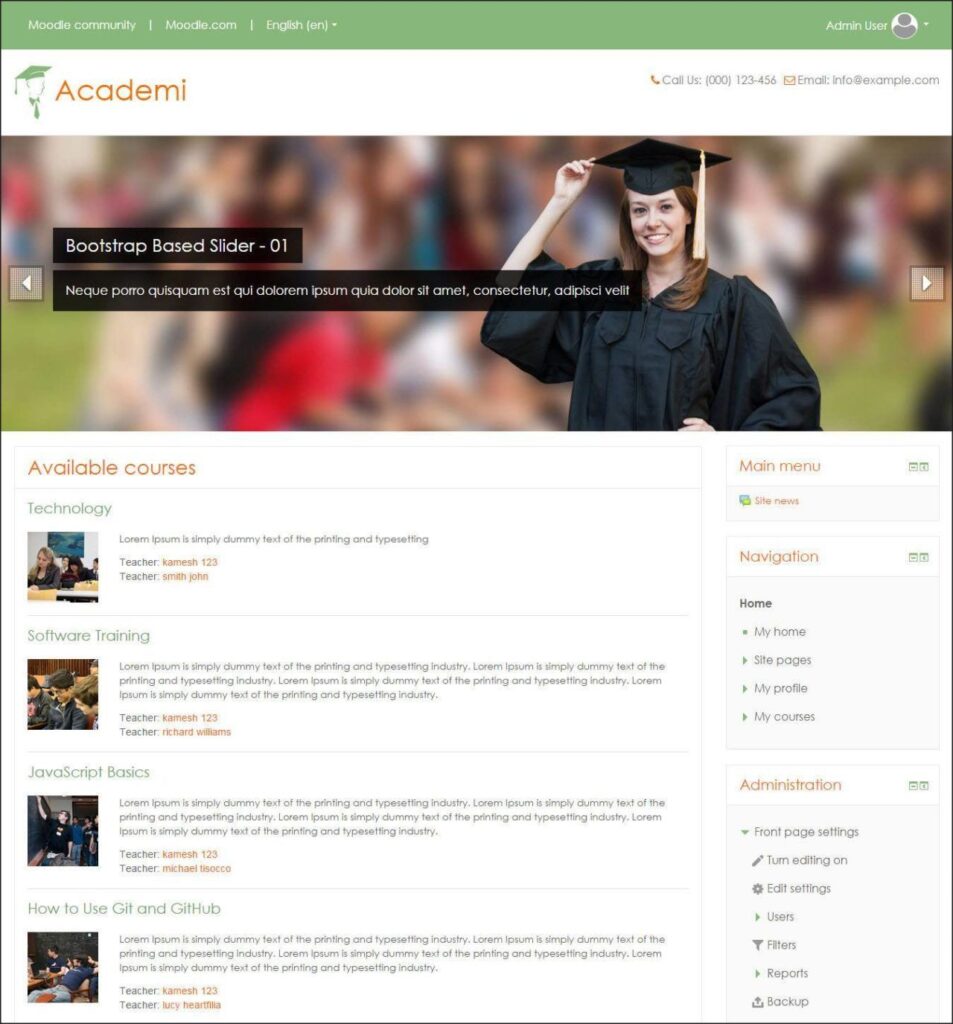
The CSS is flexible and can adapt to the needs of your academy, such as adding a logo or customising the menu. Academi is 100% responsive and adapts perfectly to various screen sizes.
Other points in favour are the striking accordions, dropdowns and tabs, perfect for adding a large amount of content without it looking cluttered.
The footer is also customisable and allows you to play with information blocks that can be expanded according to your needs. Add to this customisable links to social networks and you will have a perfect Moodle™ site to promote your courses.
3.- Adaptable – Complete theme, and complex, oriented to marketing
What happens when you start from a Moodle Theme developed specifically for a world-famous university and its features are refined to the maximum?
Well, we get Adaptable, a very complete theme and on top of that free, like all the others we mention here.
Adaptable was initially developed for the University of Birmingham, in the United Kingdom (BCU) and has subsequently been refined and expanded by 3bits Elearning Solutions.
Like Essential has a huge amount of customisation options, without needing to touch code, but through options on its administration screen.
Adaptable offers its users "commercialisation" capabilities that normally seem associated with other types of systems, such as WordPress. It is no surprise that Adaptable has functions such as audience segmentation and communications within the network, very suitable for universities or large organisations that use online training.
Among its many options is the ability to update custom profiles with a script to identify various user roles, such as teachers versus students or even various departments, so that you can choose to show specific elements and options.
If you want more information, and many screenshots, you can see them on their page on the central Moodle website: https://moodle.org/plugins/theme_adaptable
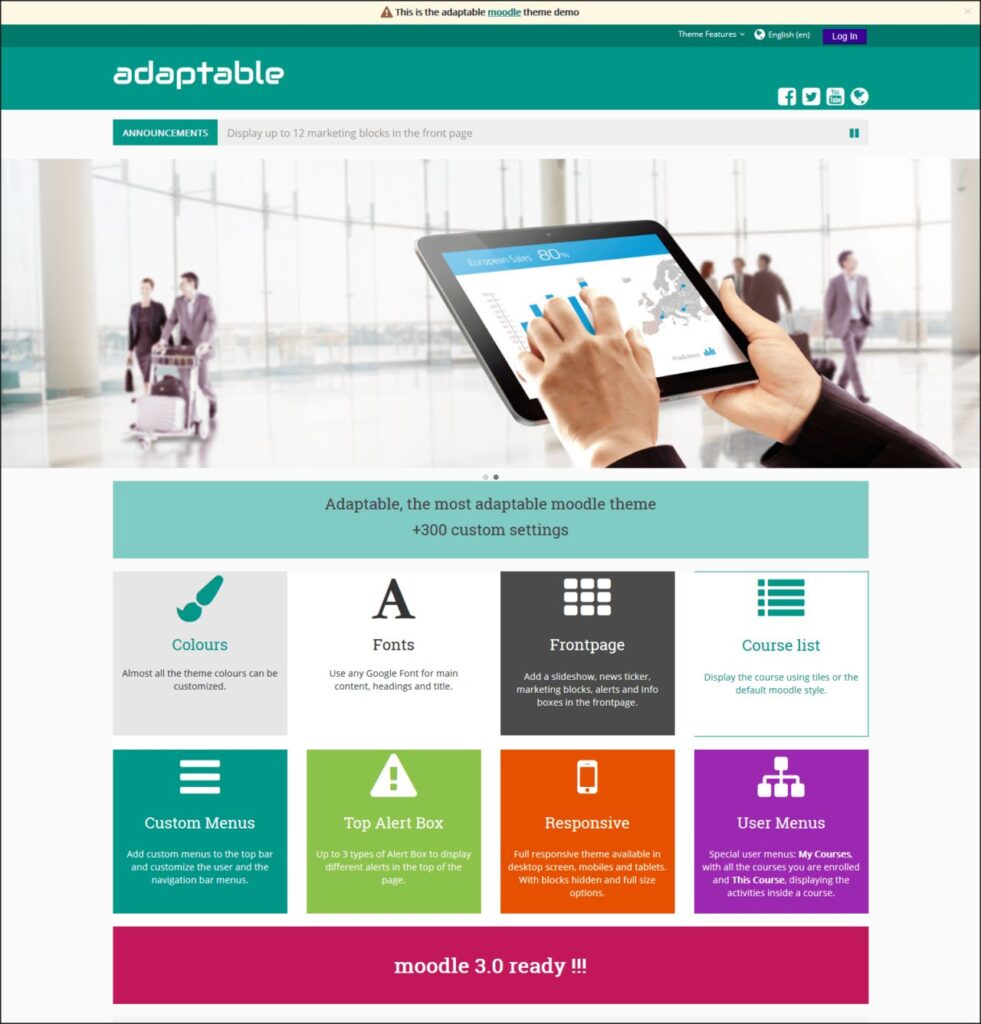
A particularly useful and unique feature is the presence of Bootstrap Alerts, a banner that can be used to send alerts and messages to all users, informing them of events such as when the site is under maintenance or something similar. Anyone who manages a large Moodle™ site will tell you it is extremely useful. We also mention the jQuery slider that allows a beautiful news carousel.
To highlight:
- 60 custom blocks with different designs for marketing/brand image
- Fully customisable
- Drag and drop function for the main page, footer, control panel and course page
- Background image loader
- Bootstrap Alerts (site banner) and jQuery slider (news carousel)
4.- Roshnilite
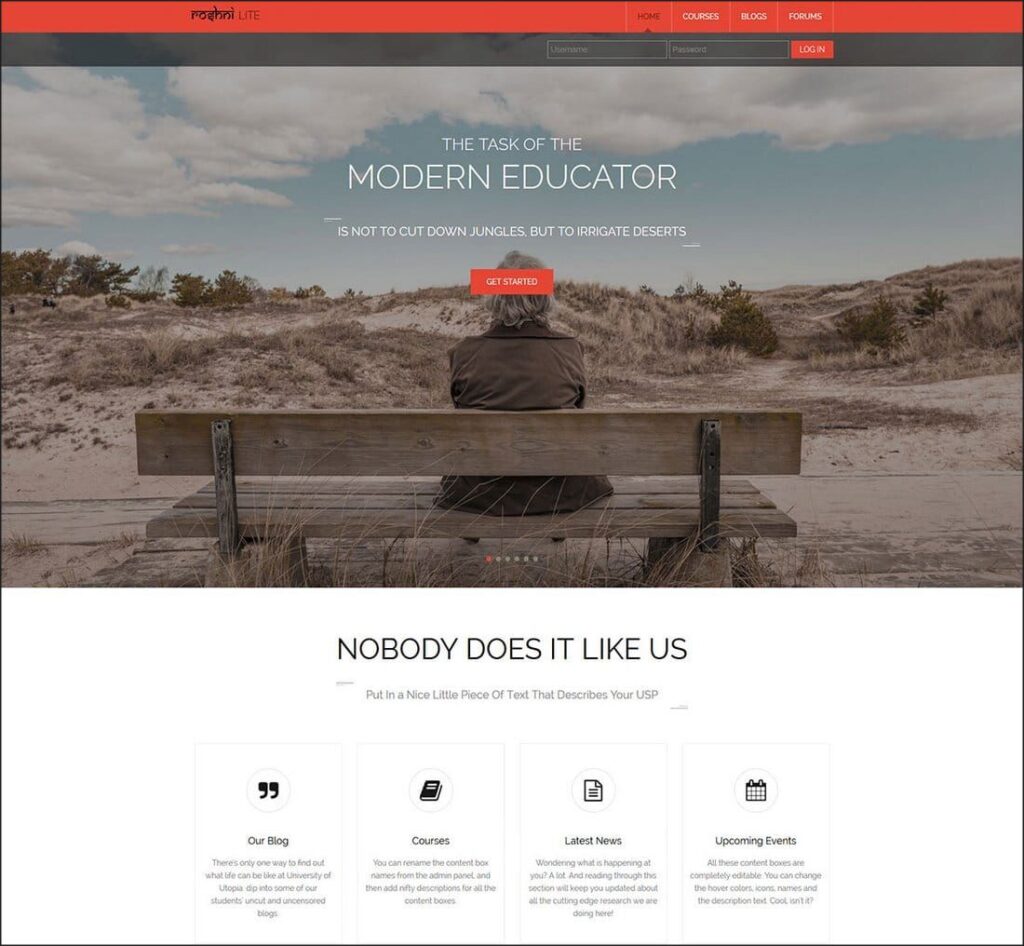
Roshni Lite is a completely responsive, with many capabilities and visually attractive. It has customisable sections on the main page that the user can customise through a backend configuration panel, and allows the user to add/update/delete content.
This free Moodle theme has an elegant header section to greet students, sections to highlight courses and sections to add a portfolio or a course categories section.
Most outstanding features:
- There is a wide variety of customisation options
- Carousel of graphics on the cover.
- Colour selector to create your own custom theme colour scheme.
- Customisable social icons
- Support for Font Awesome
- Dynamic blocks
You can see more information about this free Moodle theme here: https://moodle.org/plugins/theme_roshnilite
5.- Enlightlite
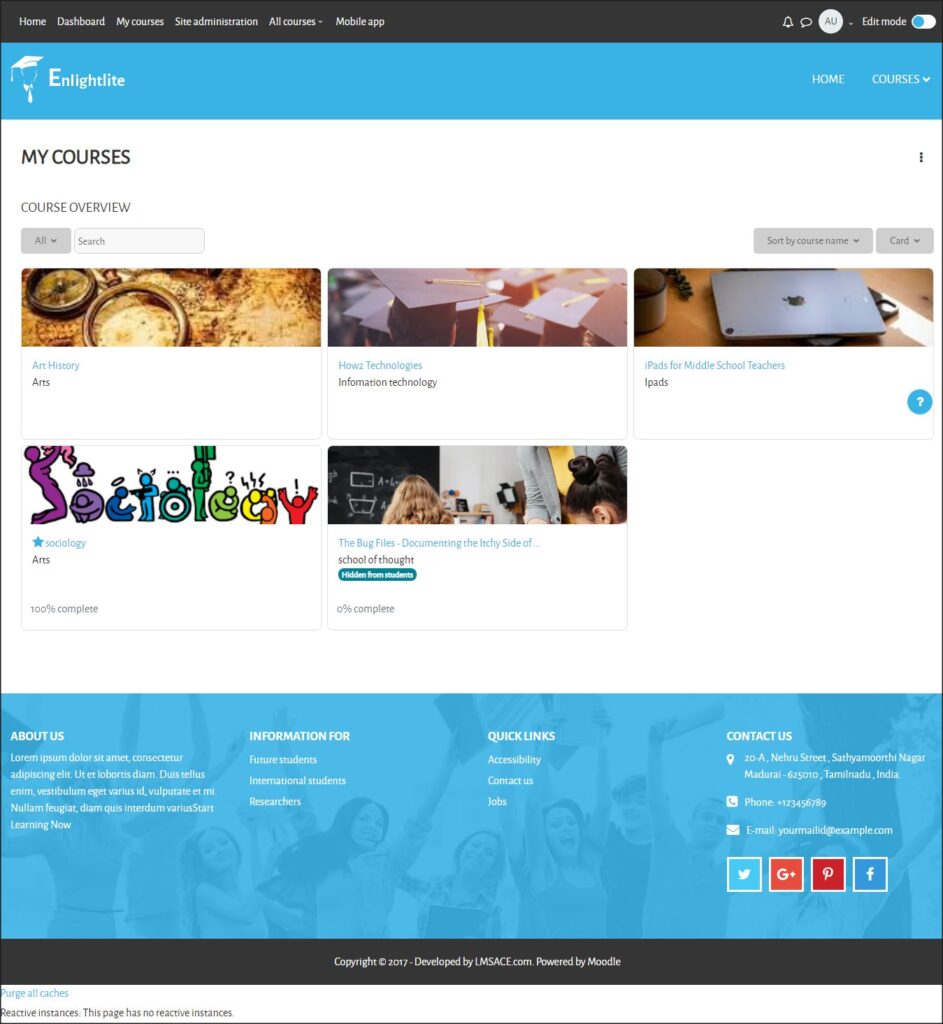
Enlightlite is a responsive and highly customisable Moodle theme. It has multi-language capabilities and supports RTL languages (right to left, such as Arabic). It allows consistent menus on all pages that allow you to quickly switch between the five built-in colour schemes without having to go to a specific page to do so.
The "Mega menu", which shows the courses available on the Moodle site from any page, is another distinctive feature of Enlightlite.
It is developed by the fantastic company LMSACE, of which we are indeed representatives in Spain.
Main/Outstanding features:
- 100% Responsive
- Easy to customise
- Horizontal mega menu for courses
- 5 Predefined colour combinations
- Multilingual and RTL support
Take a look at this free Moodle theme here: https://moodle.org/plugins/theme_enlightlite
6.- Eguru
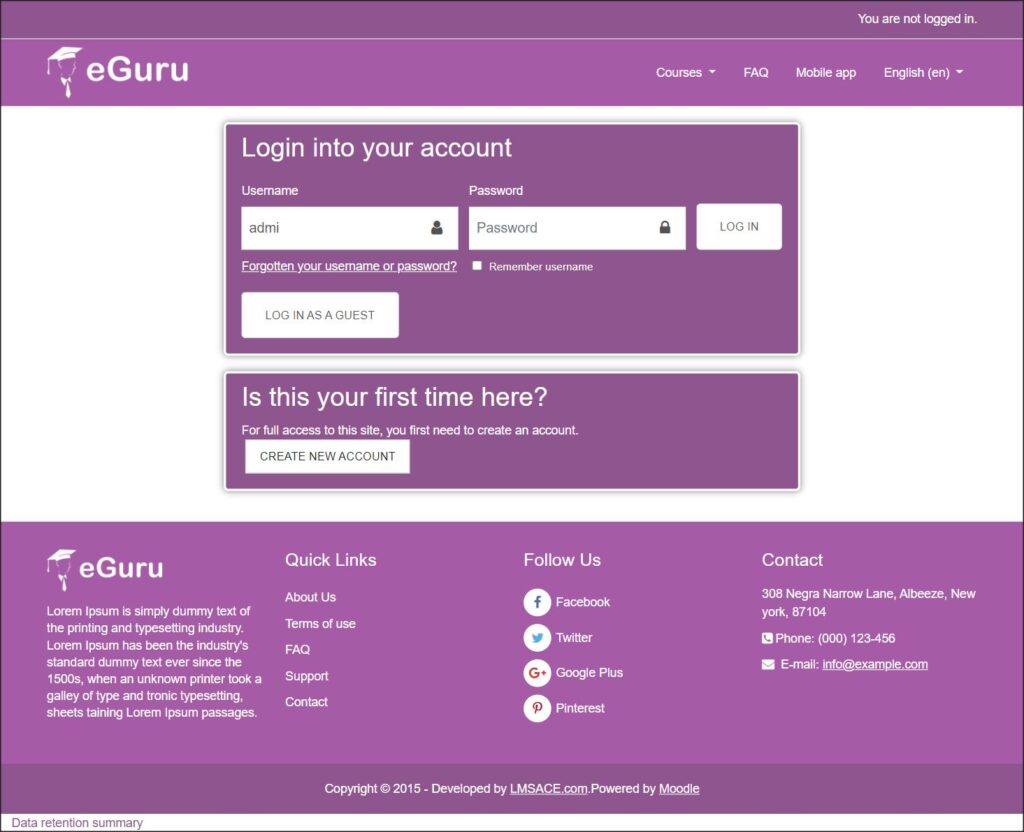
Eguru is a simple theme that, precisely because of its simplicity, usually does not give display problems on any type of device. It is customisable in colour palette and also provides some features to help you customise your Moodle™ site.
It has also been developed by LMSACE.
Main features:
- Very responsive
- Customised login page
- Modern and functional look
- Multiple colour schemes/patterns
- Login page and slide presentation in multiple languages
If you want more info, check their page on the central Moodle site: https://moodle.org/plugins/theme_eguru
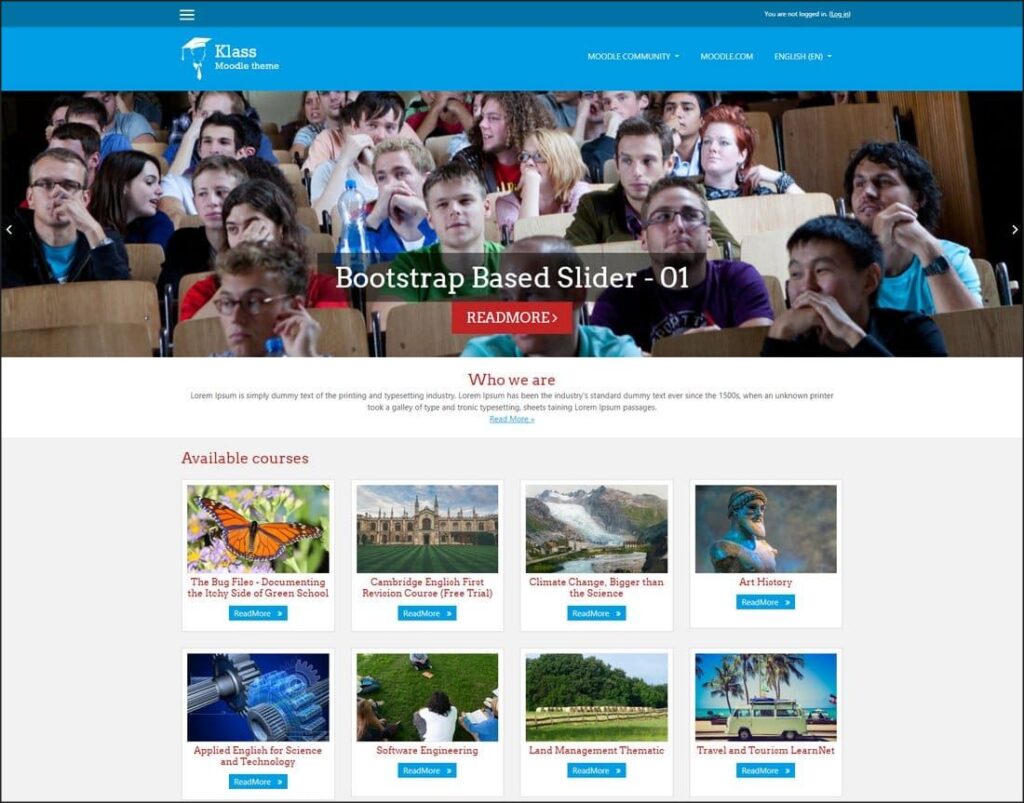
7.- Klass
Klass is a free and modern Moodle™ theme with a simple and clean design. This theme is fully responsive and includes all the features you will need to create an easy-to-use e-learning website in Moodle that satisfies modern learning needs.
Developed by LMSACE.
This theme comes with multilingual support, and a special homepage design to show all your courses, blogs and categories in one place.
Main features:
- Adaptable design
- Homepage slider to show promotional messages
- Configurable social media links in the footer
- Multilingual support
More information here: https://moodle.org/plugins/theme_klass