
Open source extension for Moodle™
Moodle™ Course Mailbox: internal course messaging with real tracking
Course Mailbox converts teacher-student communication into a course activity: threaded messages, attachments, read receipts, optional mandatory response and completion connected to student progress.
Published on Moodle Marketplace: Course Mailbox is available in the Moodle plugin catalogue. View its Moodle Marketplace listing.
The problem
External email takes communication out of the course: it does not stay in context, reading is not measured well and it cannot be part of the training itinerary.
The solution
An internal mailbox per activity, integrated in Moodle, where teaching staff can send messages to students, groups or the whole class.
The advantage
Reading and response can count towards completion, allowing to condition access to the next course activity.
What it is for
Course Mailbox is designed for courses where communication with the tutor must not be lost outside the platform: competitive exams, subsidised training, individual tutoring, incident tracking, mandatory instructions or notices that the student must read before continuing.
- Internal messaging within the course, without depending on an external email server.
- Threaded conversations, received, sent, drafts and highlighted folders.
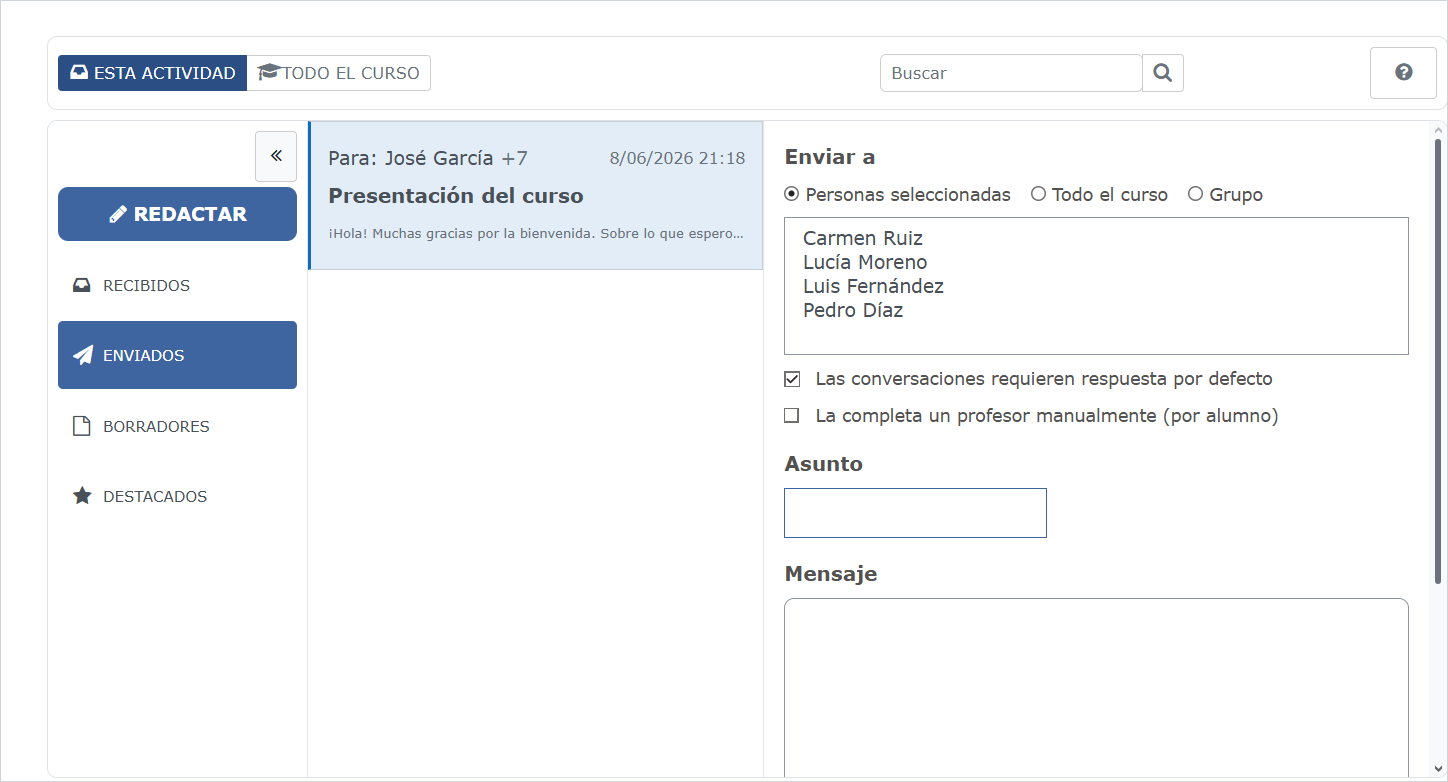
- Sending to specific students, groups, groupings or the whole class.
- Attachments, search, quick filters and mass actions.
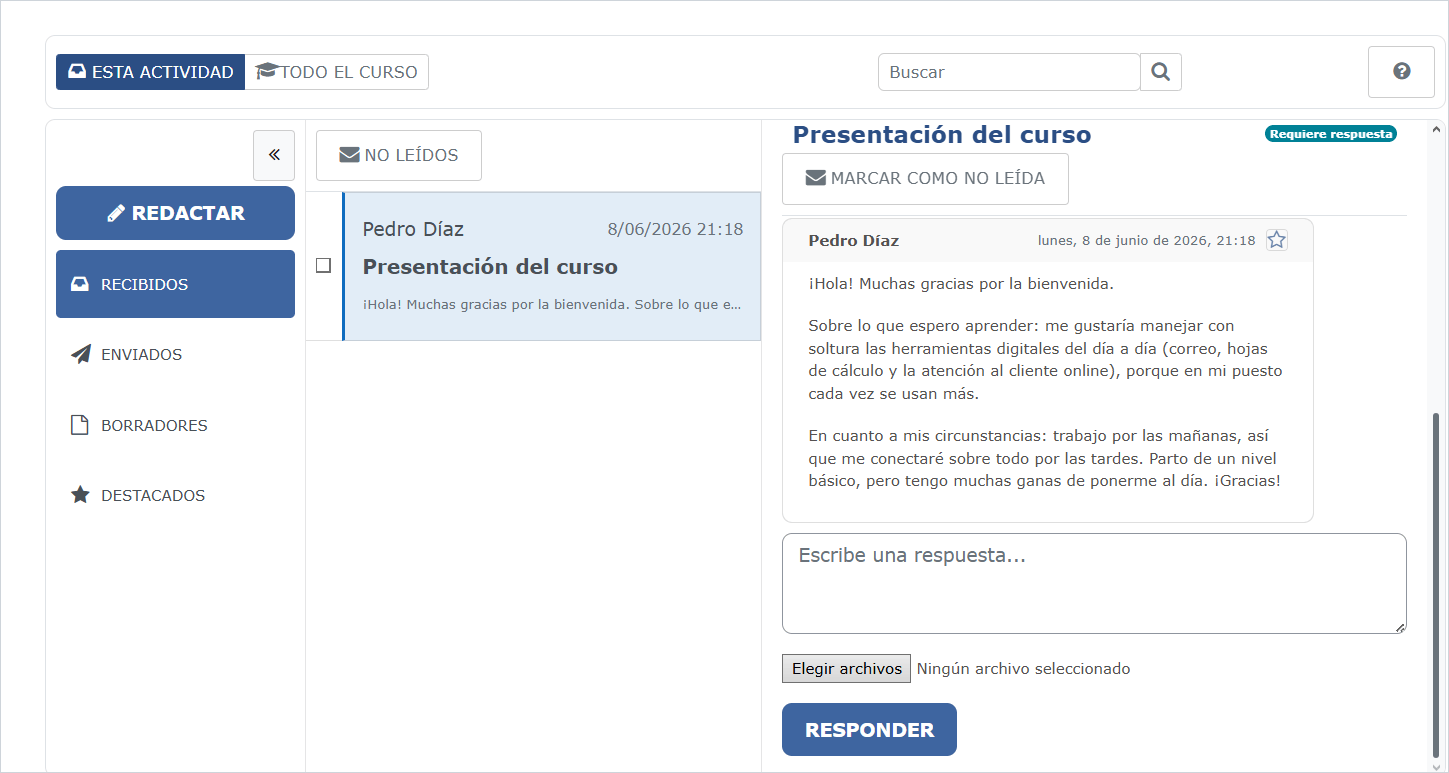
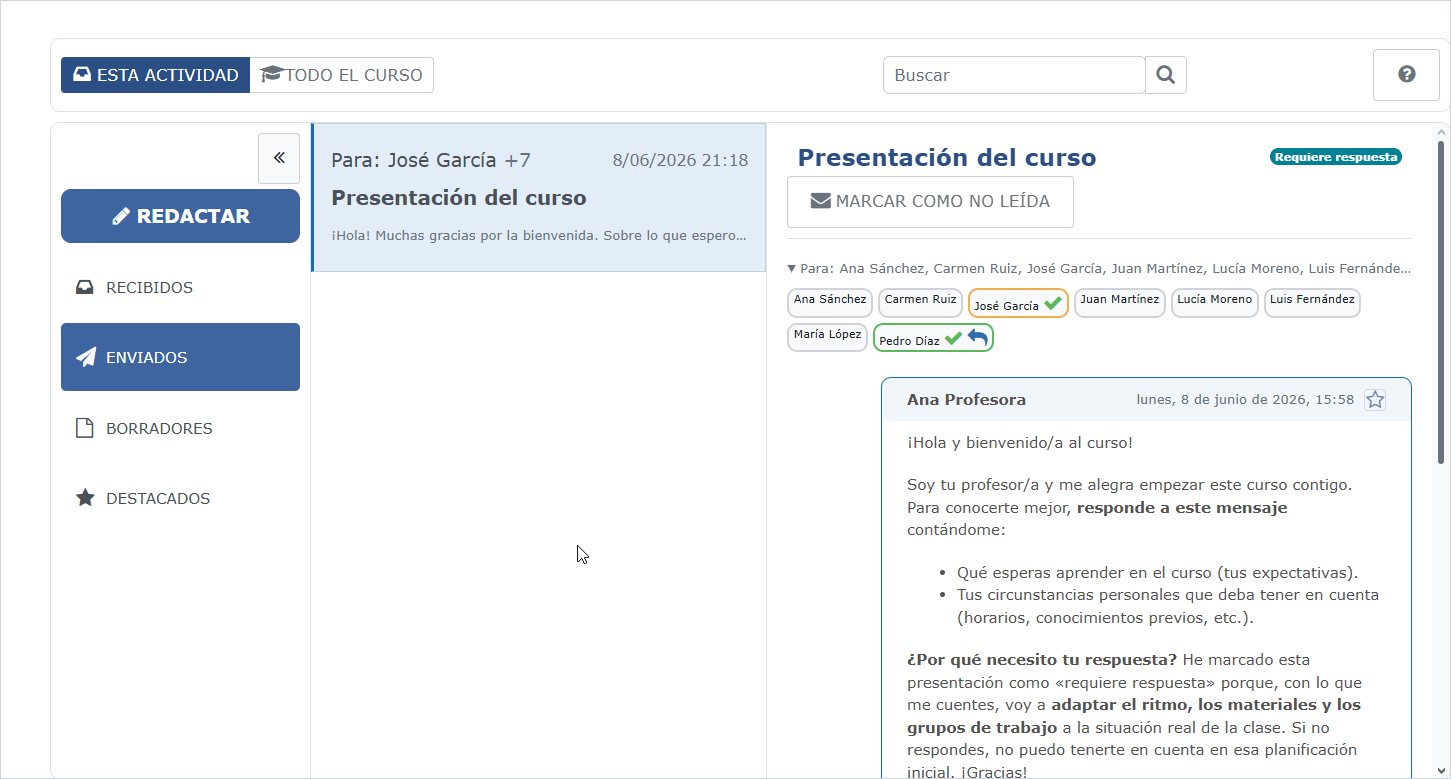
- Read receipt and required response when the case requires it.
- Activity completion by reading, response or teacher manual validation.
Workflow within the course
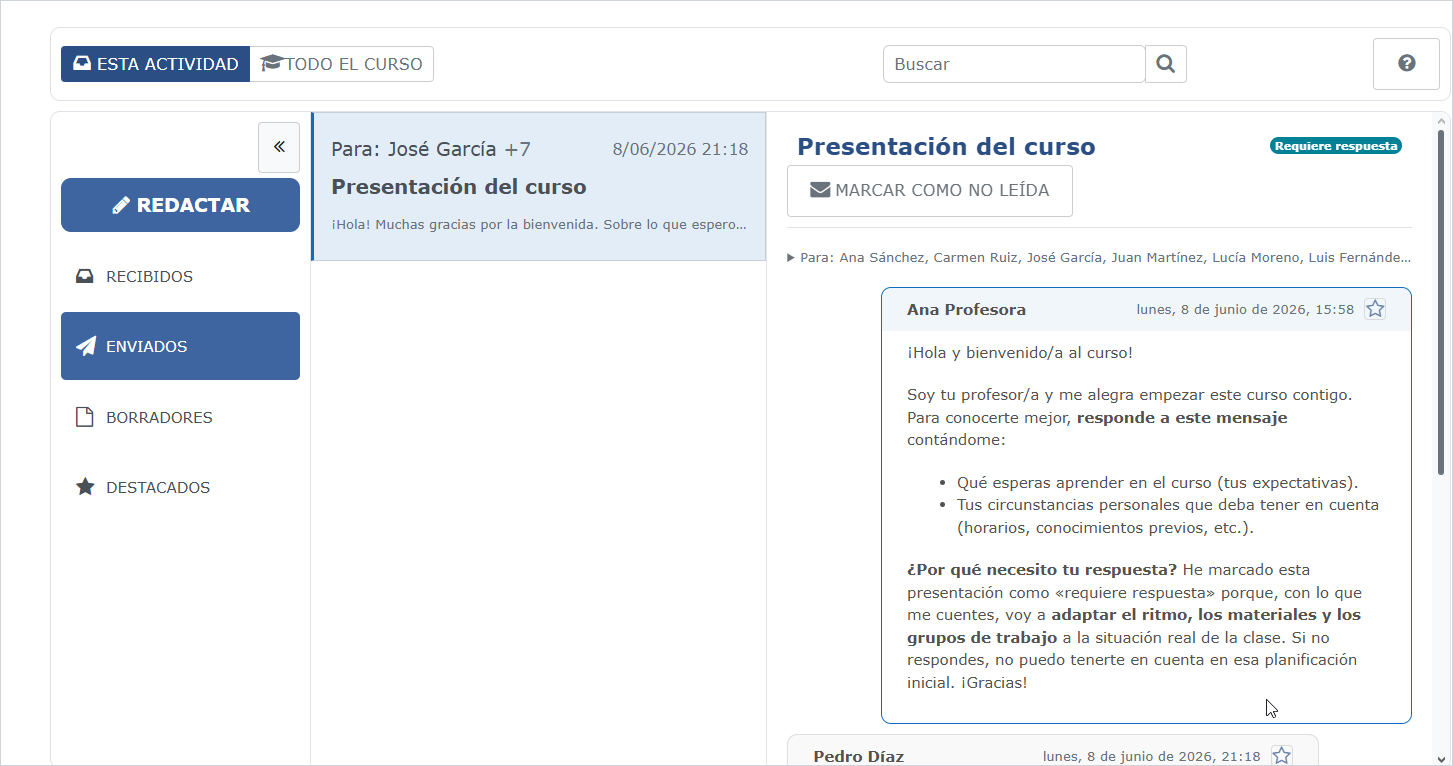
The extension does not present itself as an embedded external email, but as a Moodle activity with its own teaching flow: draft, send, review responses and check the status of each recipient.
A mailbox that can block progress
The important difference is not just sending messages. Being a Moodle activity, the mailbox can be combined with access restriction by completion: the student does not move to the next topic until they read or respond to the tutor's communication.
This transforms the message into a learning control point, useful when there are critical instructions, personalised feedback or communications that must be traced.
Technical sheet
Compatibility declared on Moodle Marketplace: Moodle 4.1, 4.2, 4.3, 4.4, 4.5, 5.0, 5.1 and 5.2. Beta version. The repository requires Moodle 4.1 or later. The first release documentation reports testing with PHP 7.4; it does not establish complete testing of v0.1.2 on every declared version. The README specifies PHP 7.4+, while the v0.1.2 release notes list PHP 7.4–8.1. Check the requirements of your Moodle version before installation.
Installation
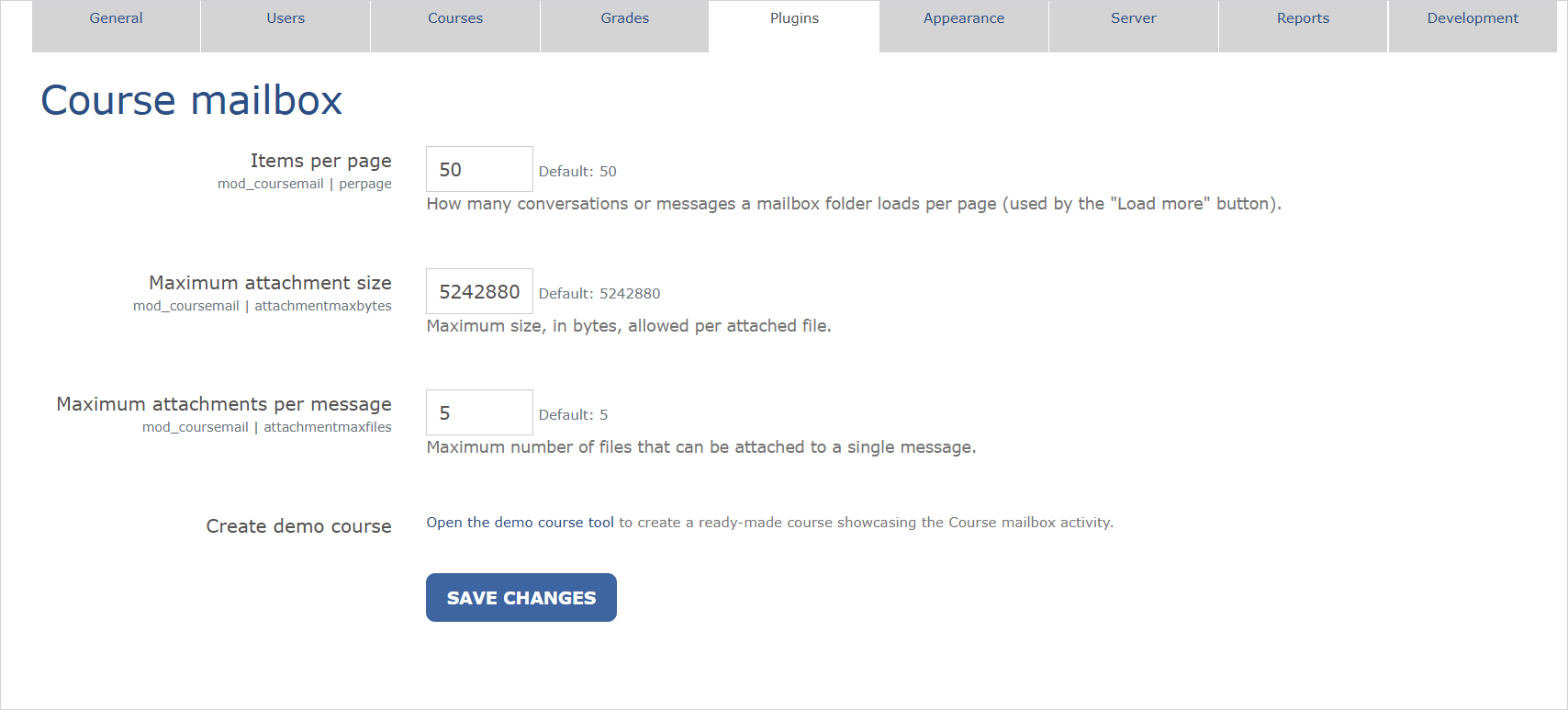
The release includes an installable ZIP called coursemail-v0.1.2.zip. It is preferable to use that file, because the automatic GitHub ZIP generates a folder with a name not suitable for installing directly as a Moodle module.
- Download the release ZIP.
- Install from Site Administration → Plugins → Install plugins, or copy the folder
coursemailinsidemod/. - Run the Moodle update from Notifications or with
php admin/cli/upgrade.php.
Professional support
The code is open source, but Iberforma can help with installation, validation in real environments, functional adaptation, integration with the platform design or maintenance in online training projects.