
WhatsApp messages prepared from Moodle™
WhatsApp Helper: notify students without copying numbers or repeating messages
Choose a course, group, template and students. The plugin prepares each personalised message and opens WhatsApp Web or the app for the teacher to confirm sending.
Published on Moodle Marketplace: WhatsApp Helper is available in the Moodle plugin catalogue. View its Moodle Marketplace listing.
The problem
Contacting a class through WhatsApp means copying numbers and repeating the same text student by student.
The solution
Moodle™ prepares a queue with phone numbers, personalised messages and progress for each student.
No Business API
It uses standard links wa.me or whatsapp://send. The teacher reviews the message and presses Send inside WhatsApp.
A message queue ready for work
- Select by course, group or all groups.
- Common and personal templates with placeholders for name, course, group and date.
- Templates filtered by the current interface language.
- Named, private and resumable notices that keep communication batches separate.
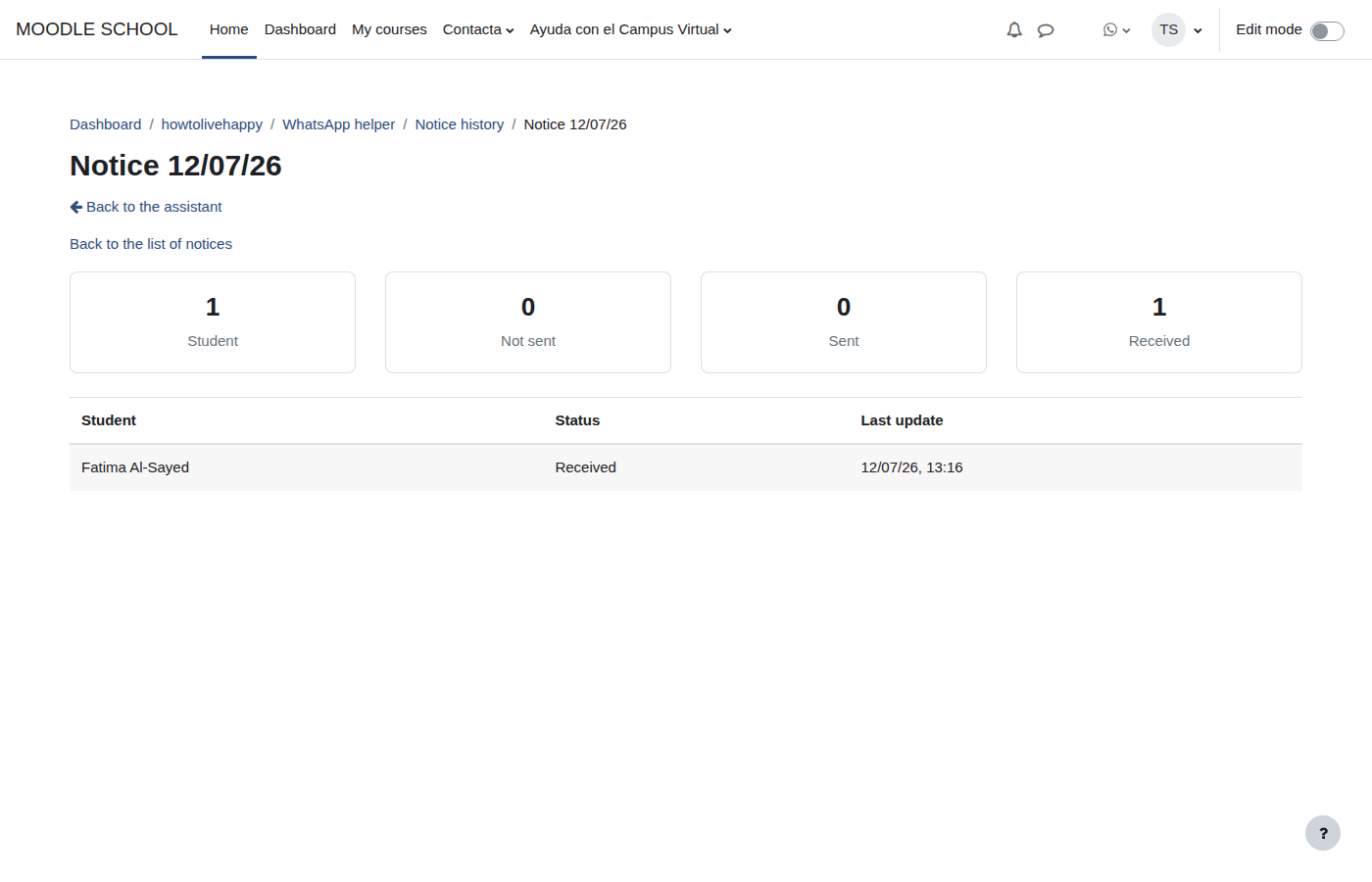
- Status for each student: not sent, sent and received.
- Personal history and an aggregate report for authorised managers.
- Guided tour and integrated accessible help.
Important: “sent” is marked when the next message opens and “received” is confirmed manually. The plugin cannot read WhatsApp or verify delivery.
How it keeps the teacher in control
WhatsApp Helper prepares rather than automates. The number comes from the Moodle™ profile and a template completes the text, but sending takes place in the official app and requires the teacher's action.
No Meta credentials
No WhatsApp Business account, token, webhook or infrastructure is required.
Capability-based access
Only users with local/whatsapphelper:use can access authorised courses and students.
Moodle™ privacy
Includes a GDPR privacy provider for personal data export and deletion.
Technical sheet
local_whatsapphelperInstallation and initial settings
- Download the release and copy the folder as
local/whatsapphelper. - Open Site administration → Notifications or run
php admin/cli/upgrade.php. - Choose WhatsApp Web or the desktop app.
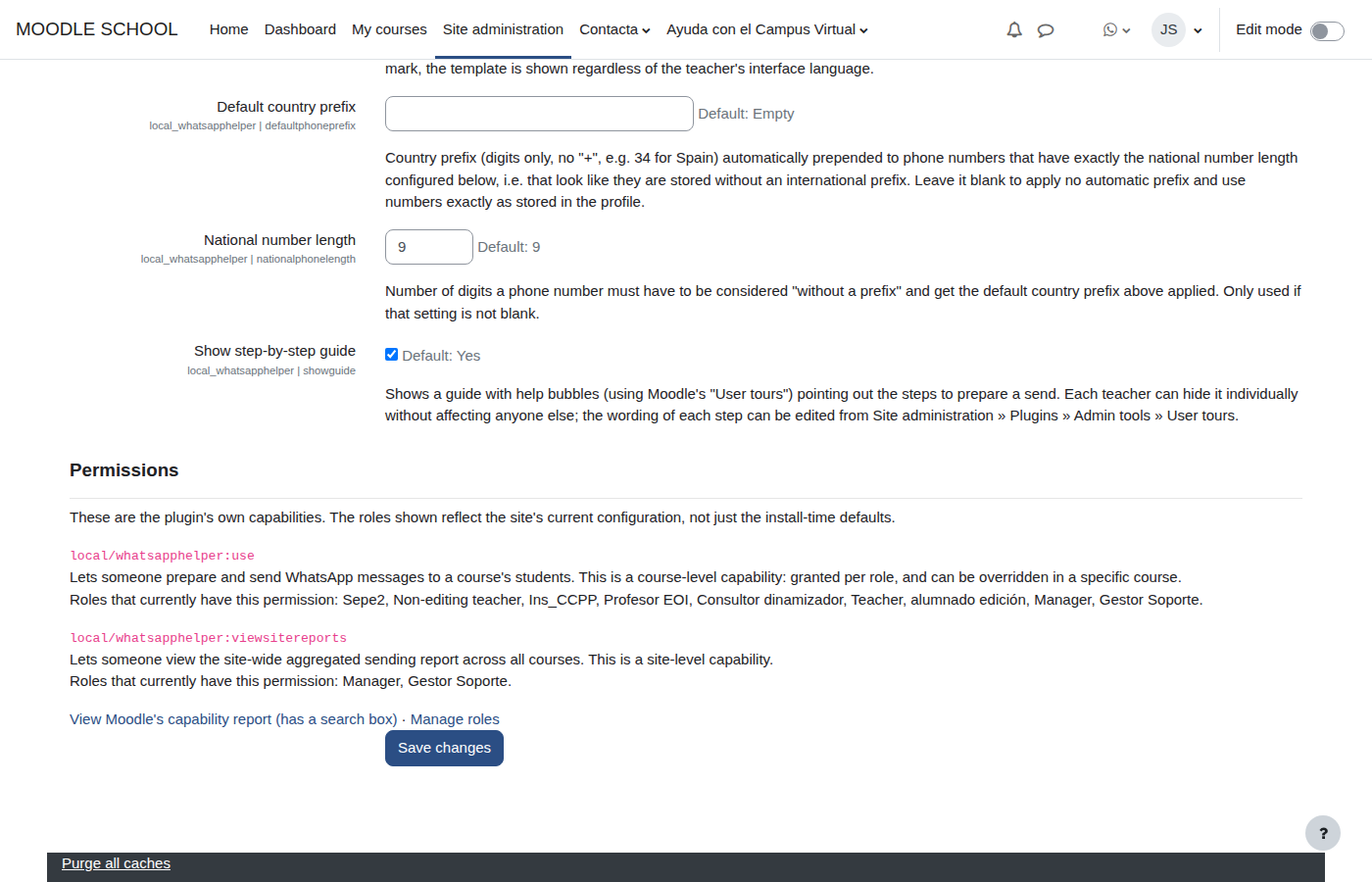
- Configure templates, an optional national prefix, the user tour and capabilities.
Illustrated user guide
The screenshots come from the real plugin and show the complete administration and messaging workflow.
1. Open WhatsApp Helper
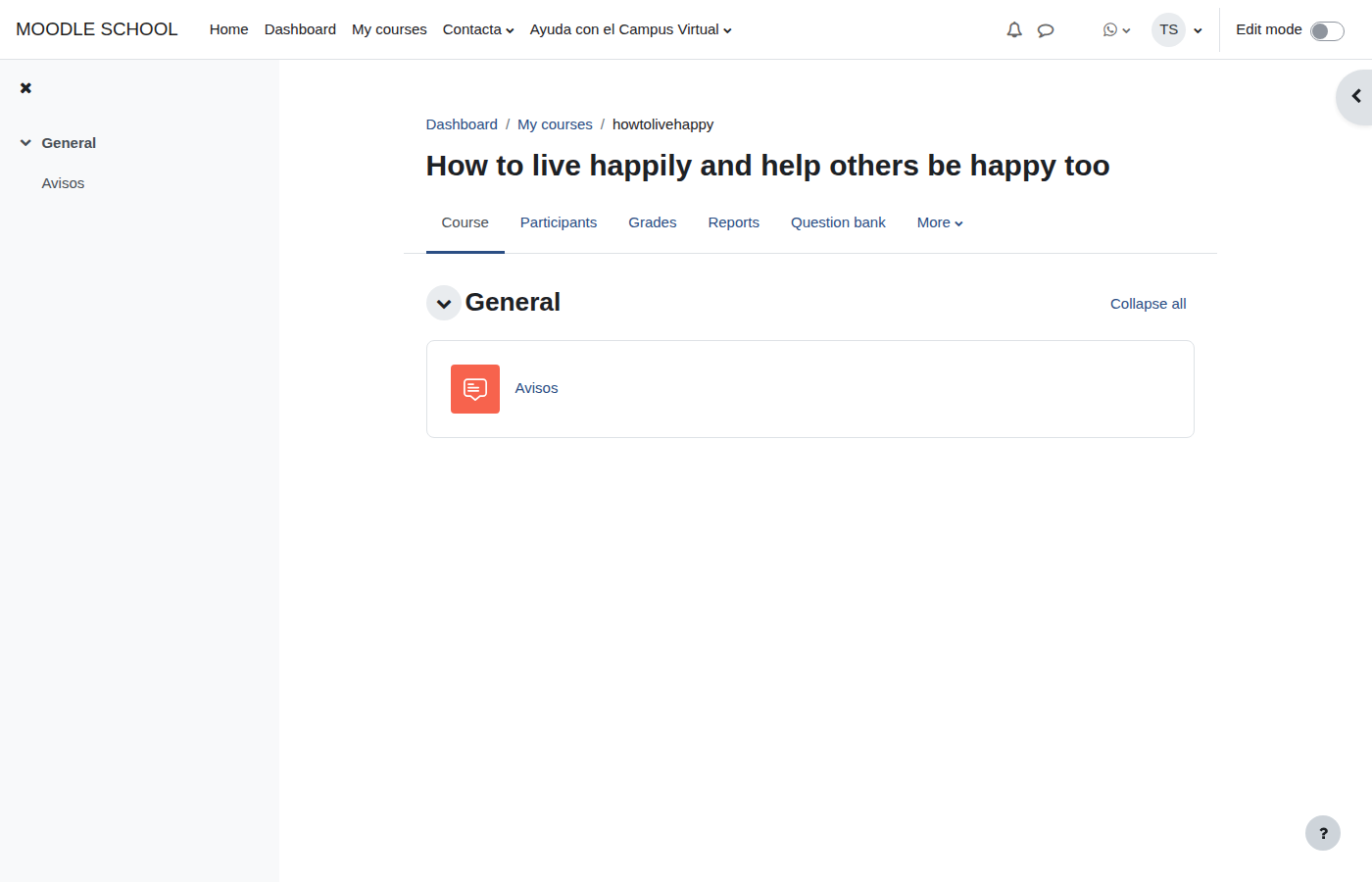
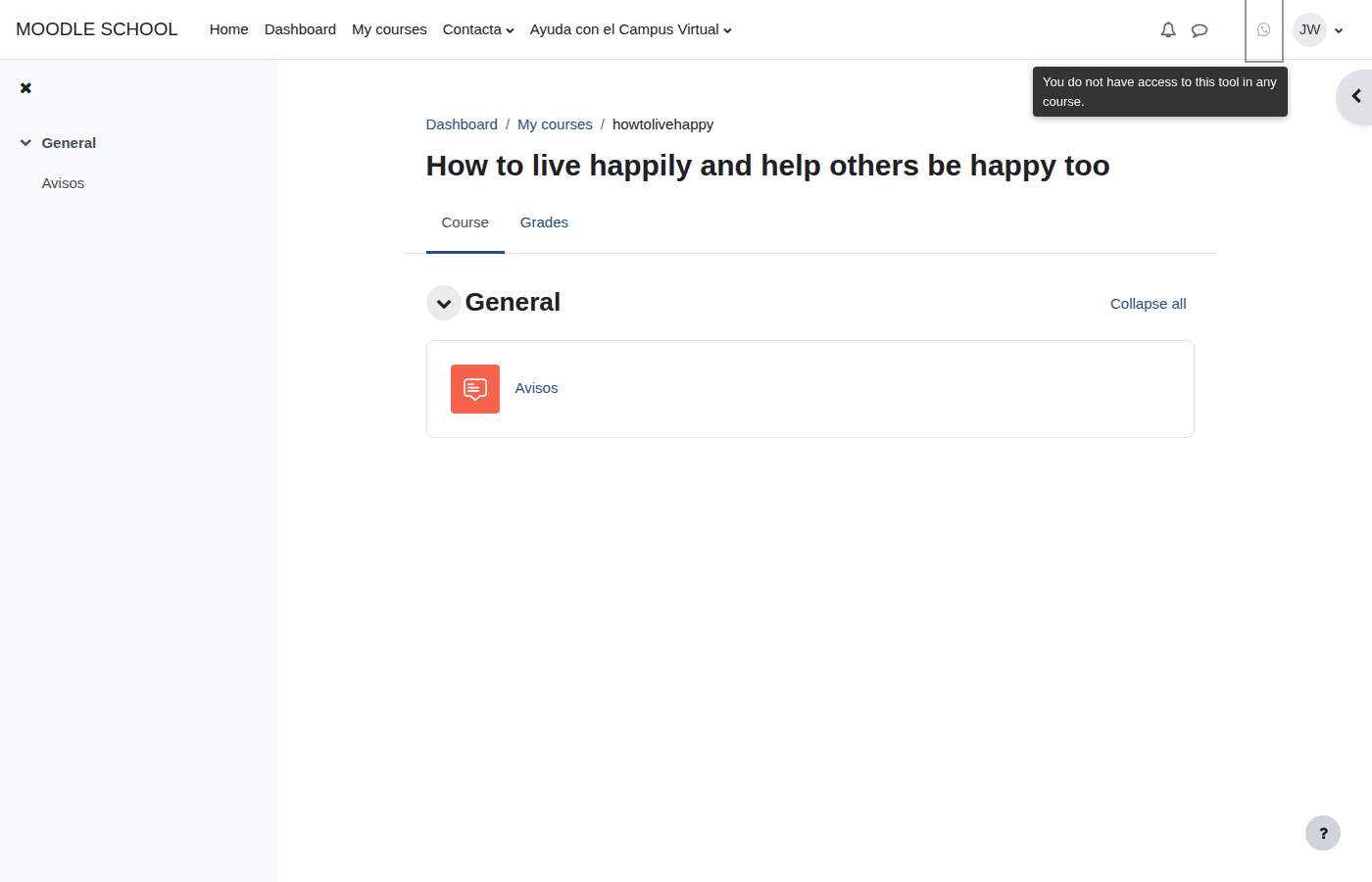
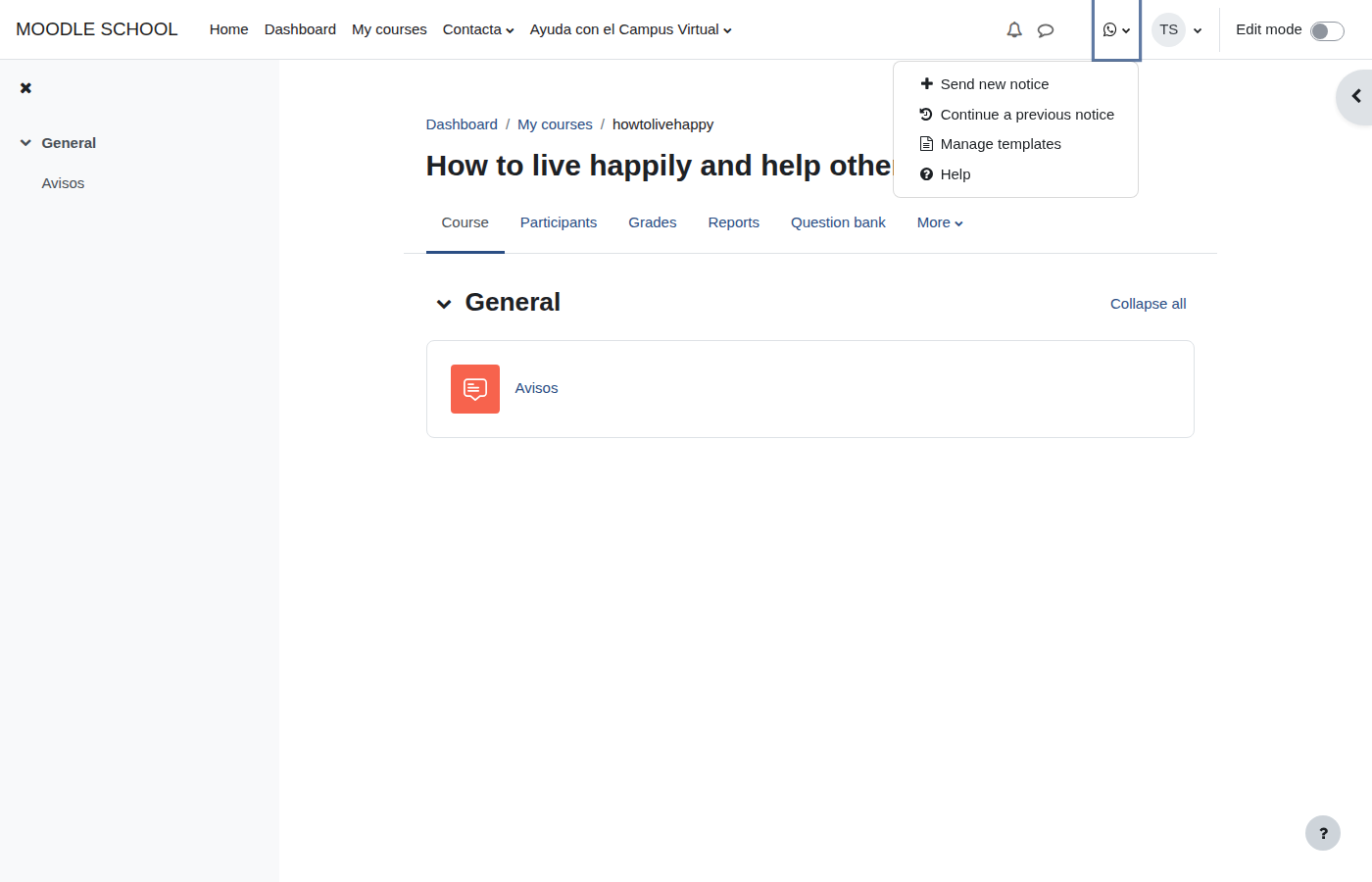
The icon appears in the top bar. If no courses or students are available yet, it remains visible and explains why it is disabled. Its menu lets teachers choose a course or open their history.
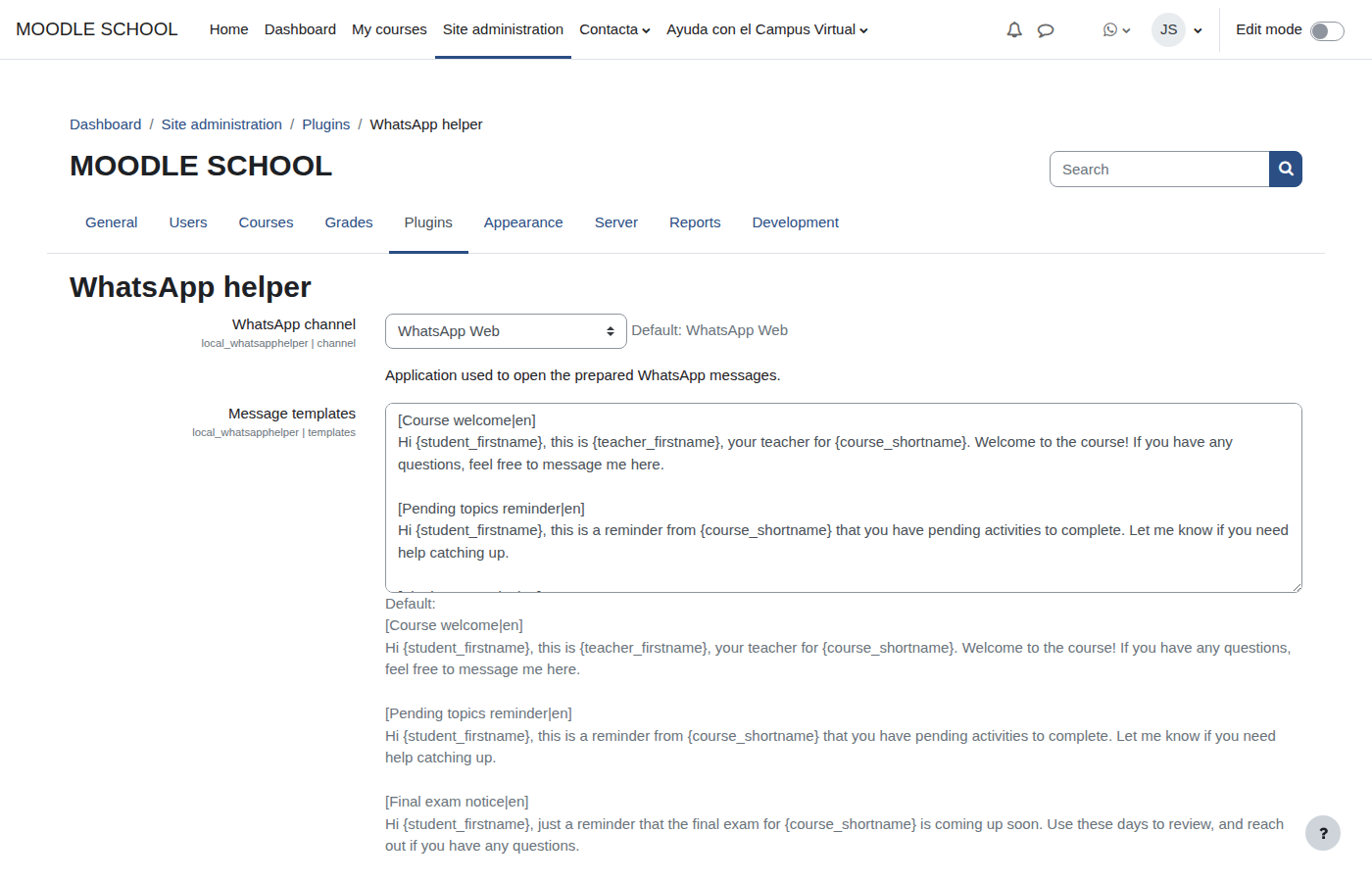
2. Configure templates and permissions
The administrator defines the channel, common library, optional prefix and user tour. The same screen summarises which roles hold each capability.
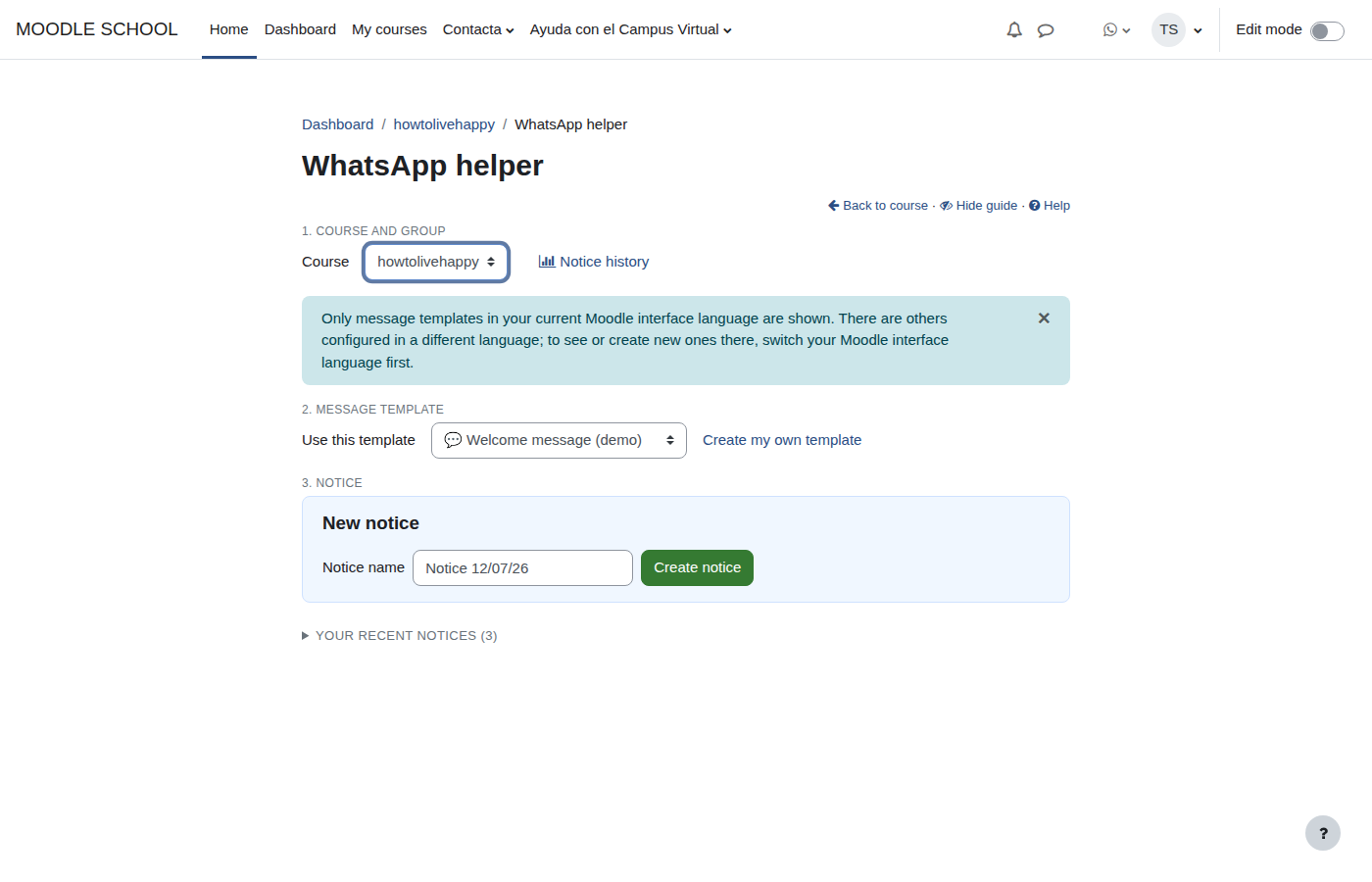
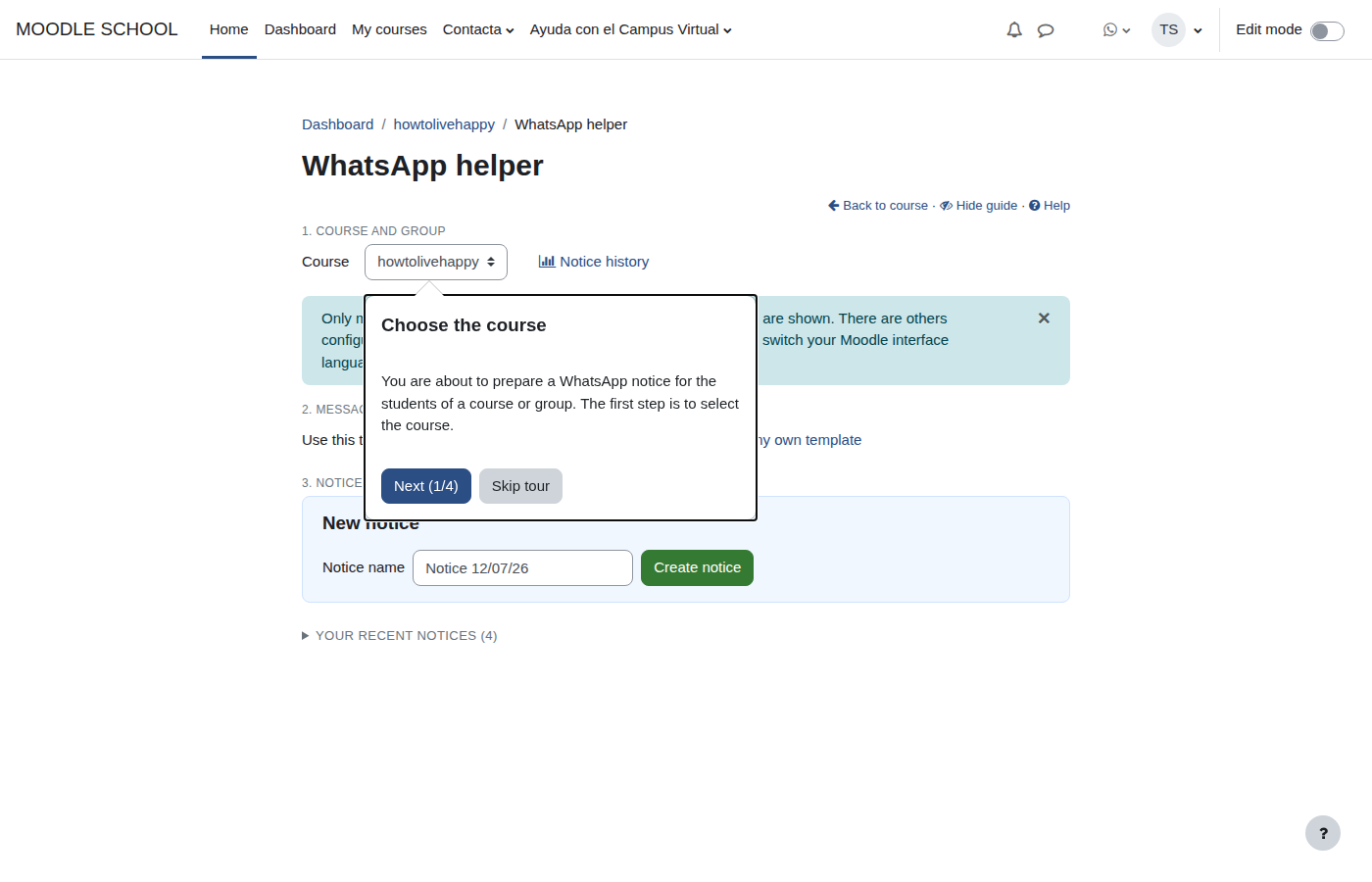
3. Choose course, group, template and notice
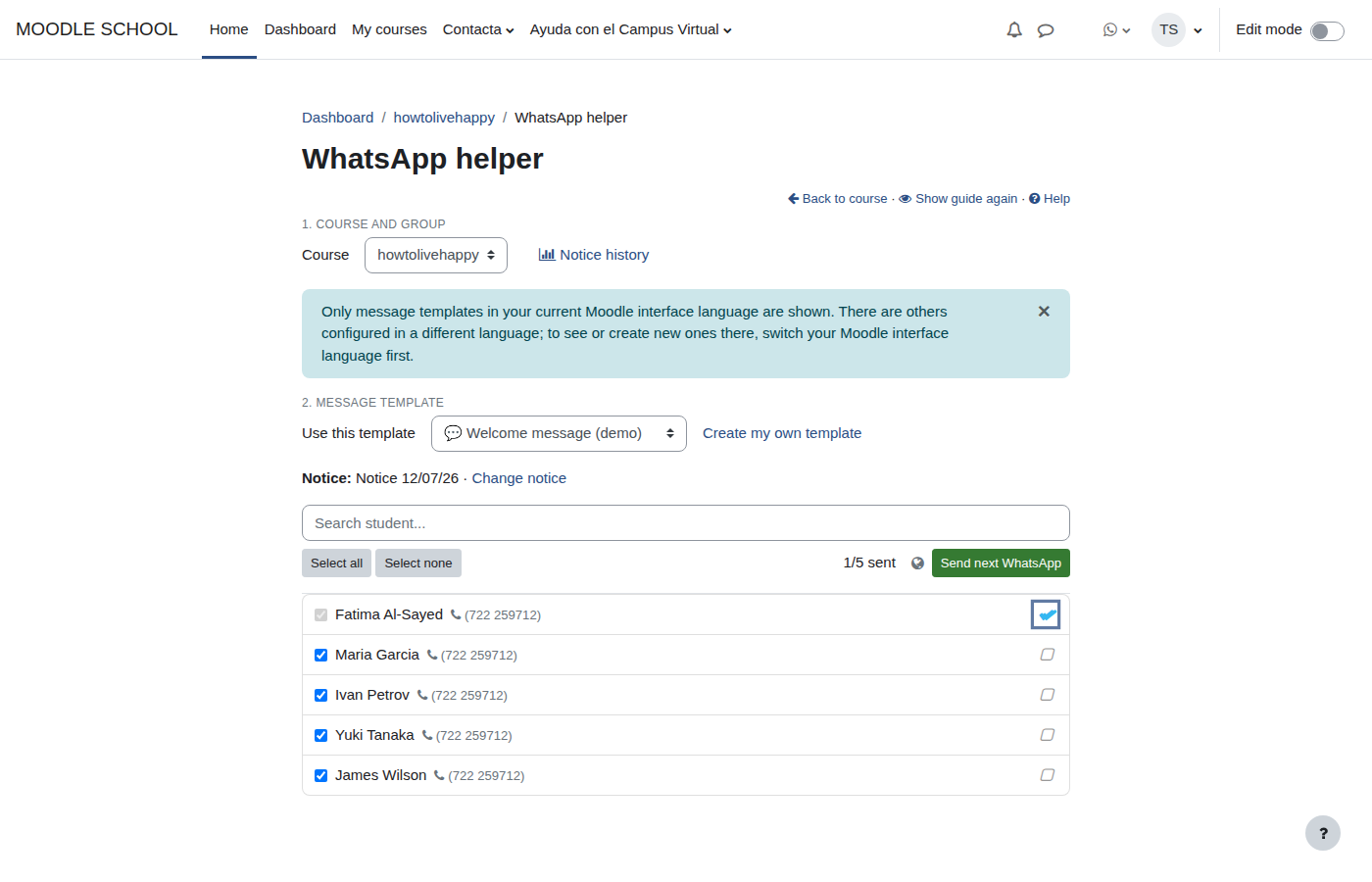
The assistant brings the complete workflow together. An optional user tour explains each control without leaving the page.
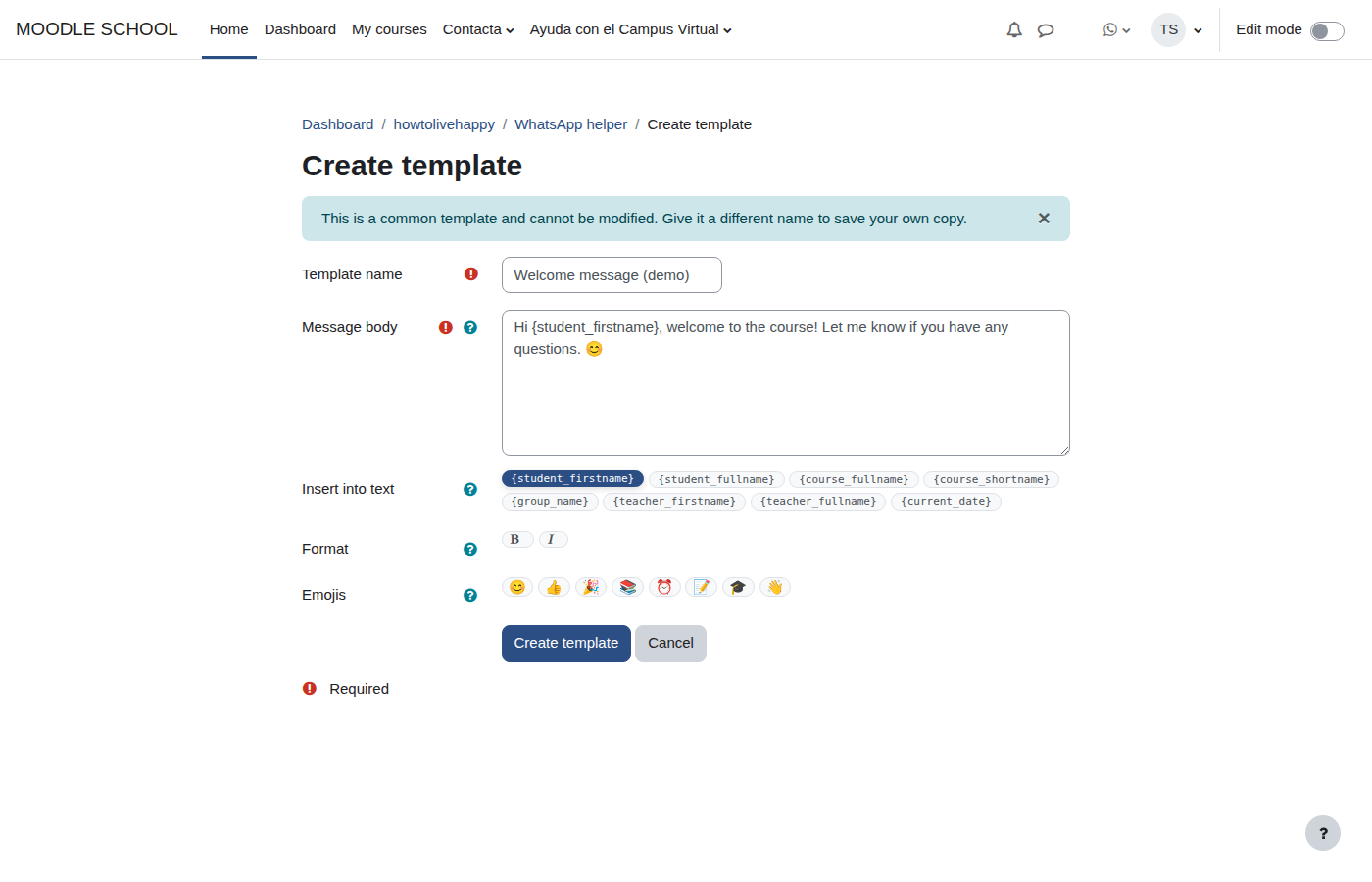
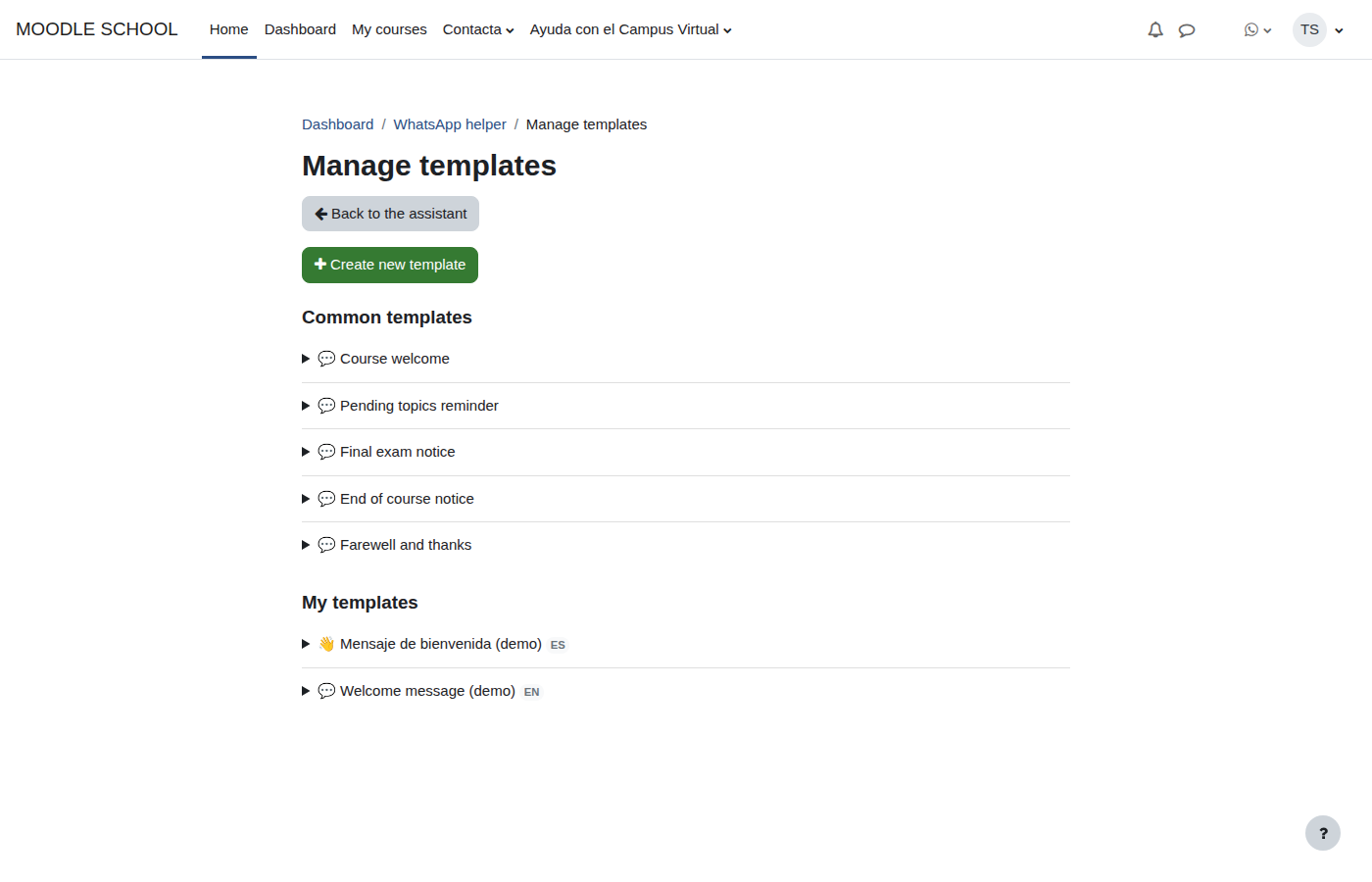
4. Personalise templates by language
Each teacher can start from a common template, use placeholders and save a personal version. Language tags prevent Spanish and English templates from becoming mixed.
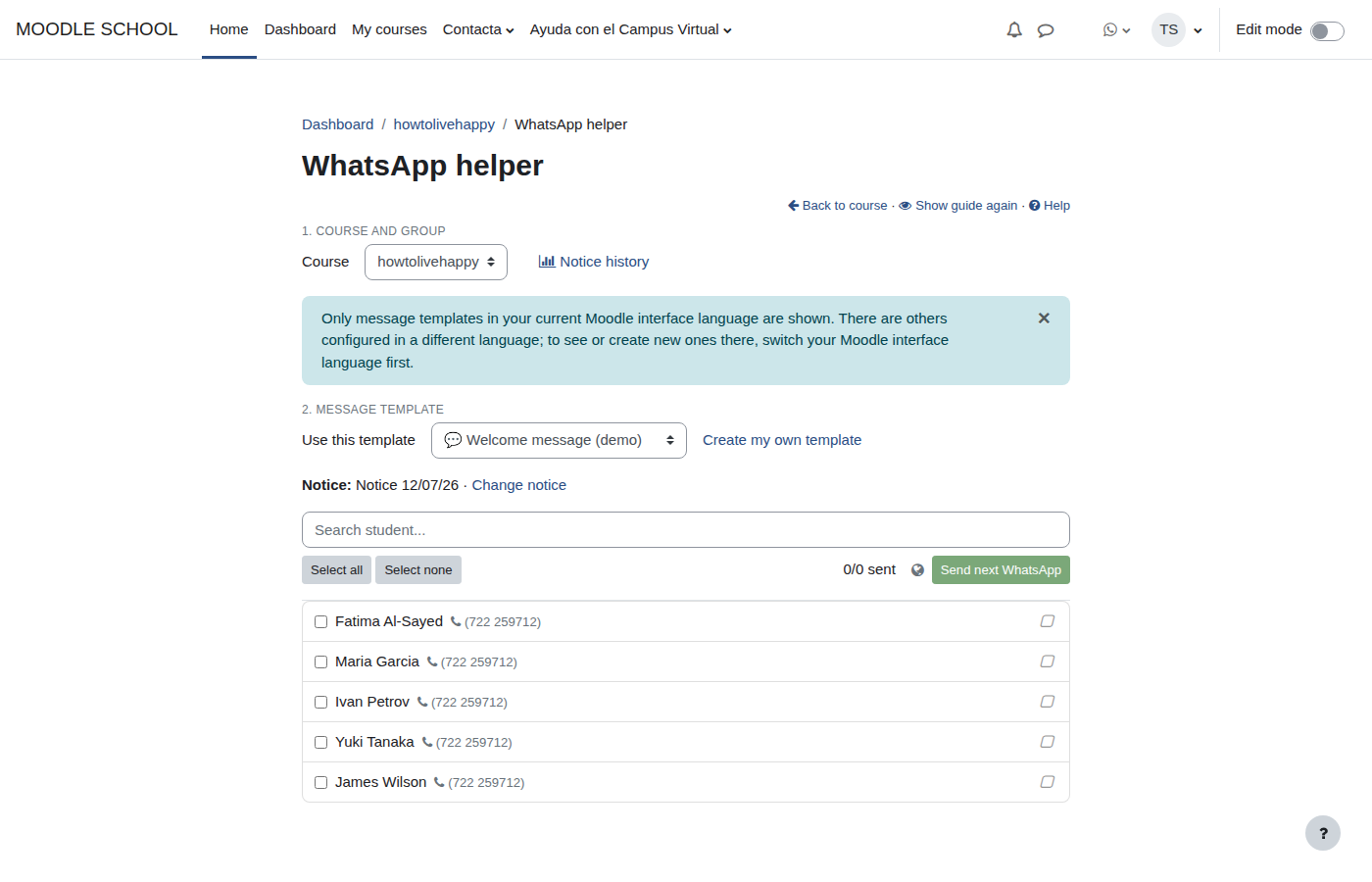
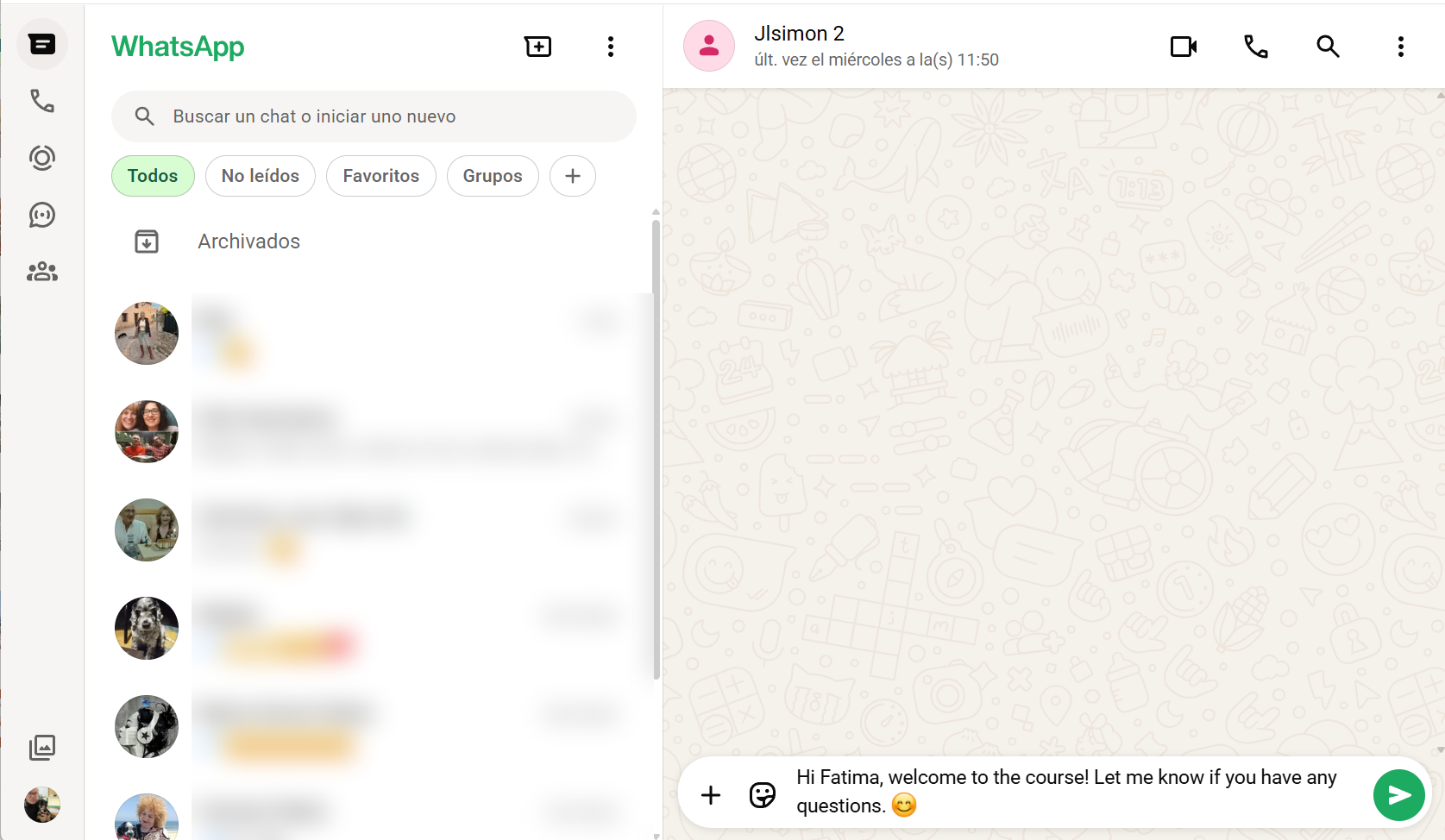
5. Prepare the queue and open WhatsApp
Select students with a phone number and press Send next WhatsApp. The plugin skips those already sent and opens the prepared message in the configured channel.
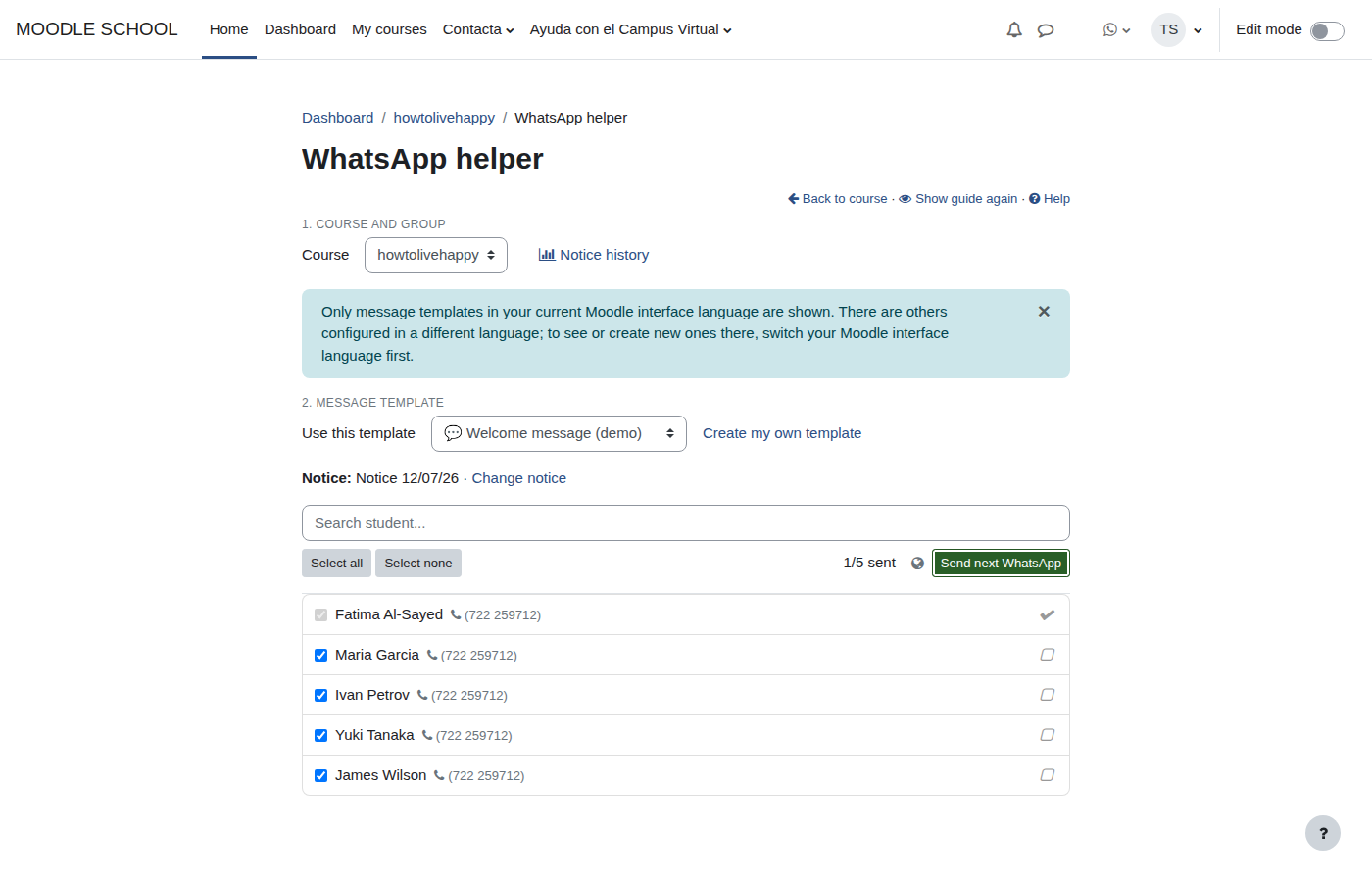
6. Update progress
As the teacher advances, the status changes to sent. They can mark received manually or return it to not sent when a repeat is needed.
7. Review notice history
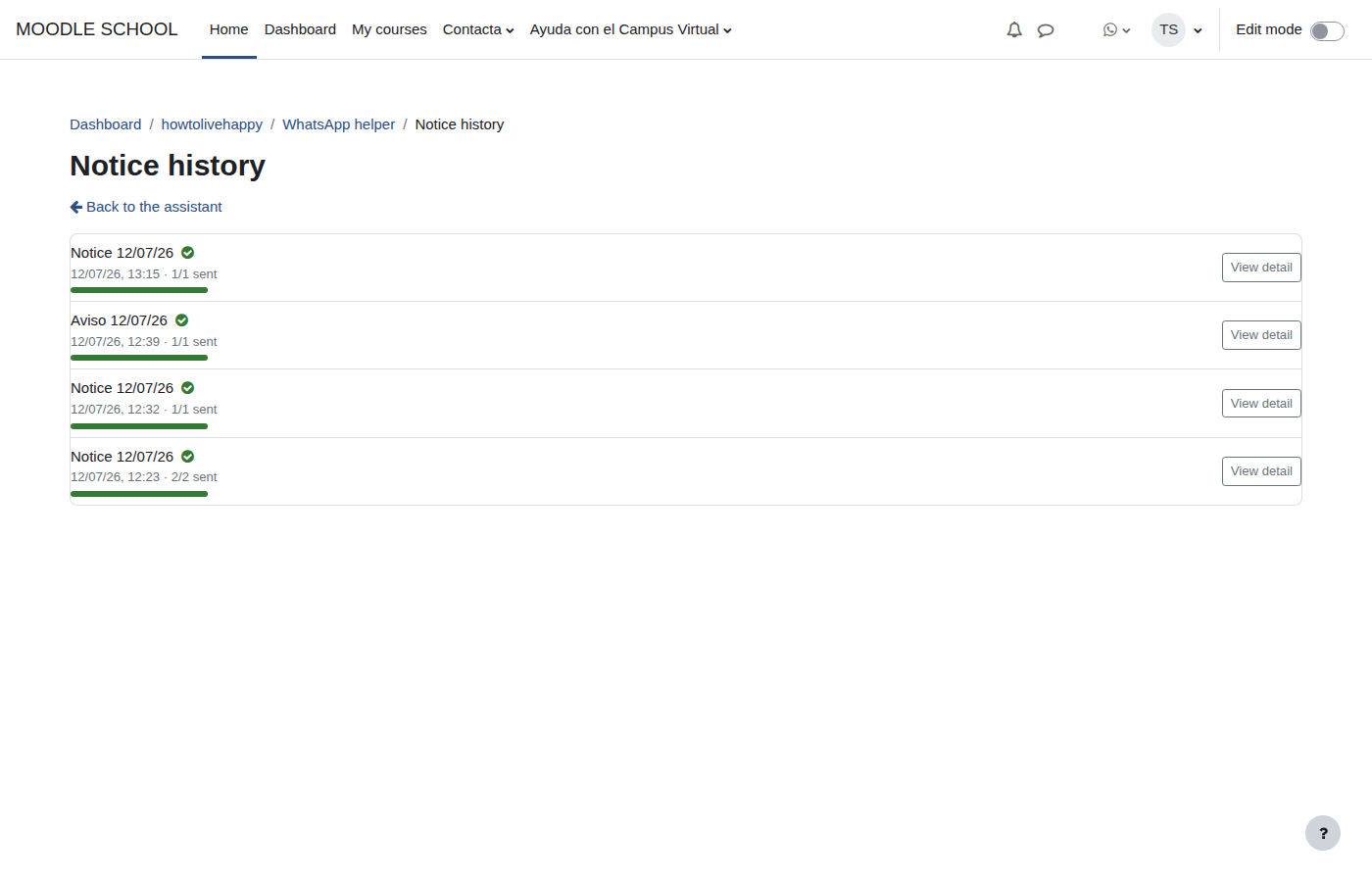
Each teacher sees only their own notices, can resume them and review recipient details.
Independence notice
WhatsApp Helper is not affiliated with, endorsed by or officially connected to WhatsApp LLC or Meta Platforms, Inc. It only generates standard links; WhatsApp sends the message and the teacher remains responsible for recipients, content and consent.
Professional support
Iberforma can help with installation, permissions, phone-number normalisation, multilingual templates, privacy and adapting the workflow to your courses.